Qwiktest mock test series
Mock test series, from tests you already made.
A Qwiktest mock test series is test series software for teachers, coaching institutes and hiring teams: it groups your online tests into one course of mocks that students take in order or in any order, retake, and climb one rank list across every test. Each student sees their rank, level and progress after every test, and you see who needs help and what to reteach.
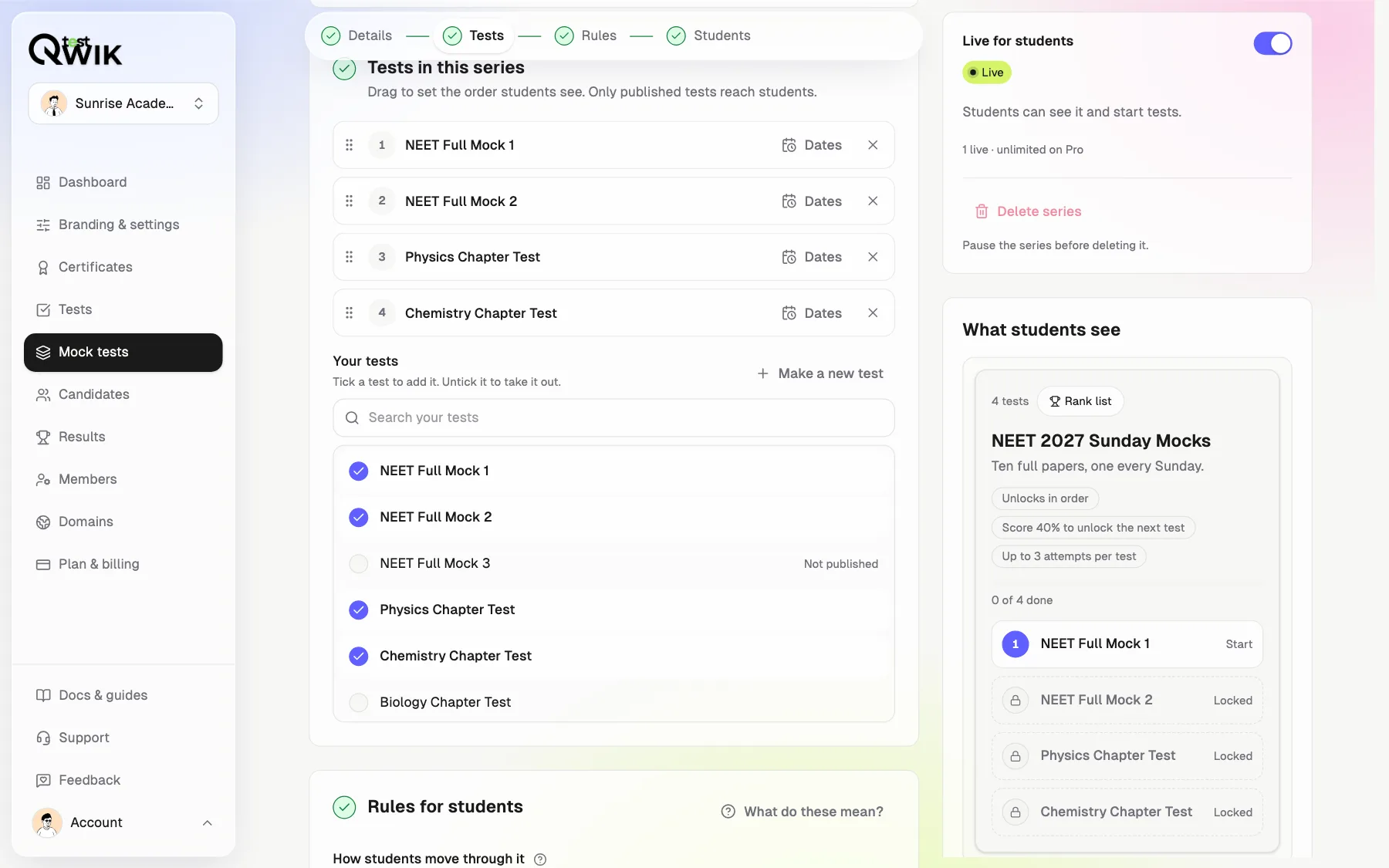
Pick tests. Set the rules. Turn it on.
Last updated
Mock test series at a glance
- Built from
- Tests you already have. A test can sit in many series
- Templates
- Scheduled mocks, practice set, step by step, hiring rounds, open contest
- Who takes it
- Public, or private for only the students you add
- Dates
- Open each test on a date; close its rank list on another
- Order
- Any order, or one after another with a pass mark
- Retakes
- Up to 10 tries a test. You pick first or best for rank
- Rank list
- One list for the whole series, updated after every test
- Levels
- Beginner, Bronze, Silver, Gold, Topper
- Progress
- Score trend, rank per test, strong and weak topics
- Analytics
- What to do this week, topics weakest first, every student's status
- Downloads
- Excel by student and by topic, a printable PDF, CSV
- Plans
- Build free. Go live on Starter and above
- Student home
- A dashboard per student: up next, scores, rank, topics
- My progress
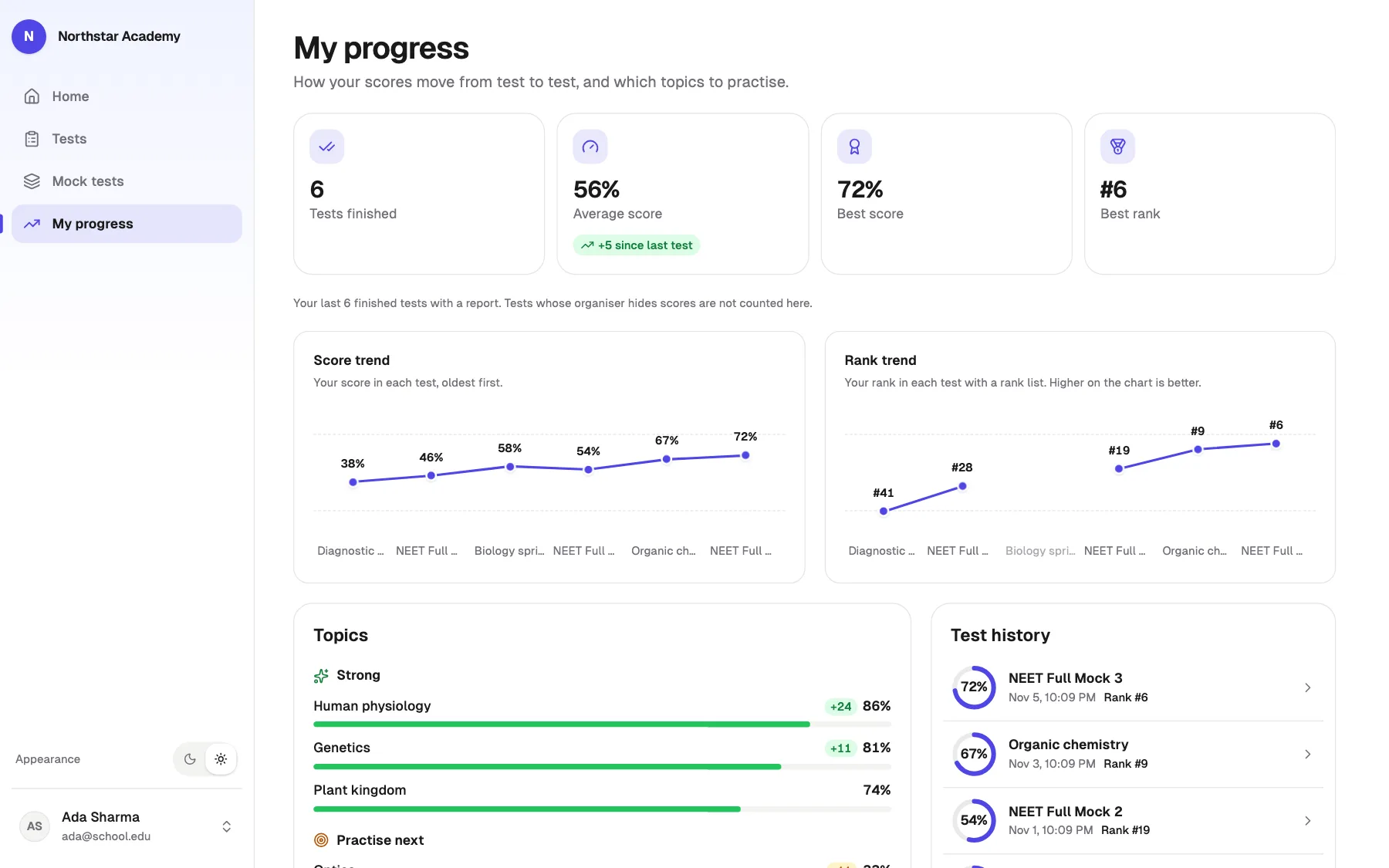
- Score and rank trends, every topic, full history
- Your look
- Your logo and colour, in four styles
- Any screen
- Sidebar on laptops, bottom tabs on phones
Build it in a minute
Pick your tests
Tap to add, drag to order. Nothing new to type.
Start from a template
Or set the order, a pass mark and tries per test.
Turn it on
One switch. Pause it any time; results stay.
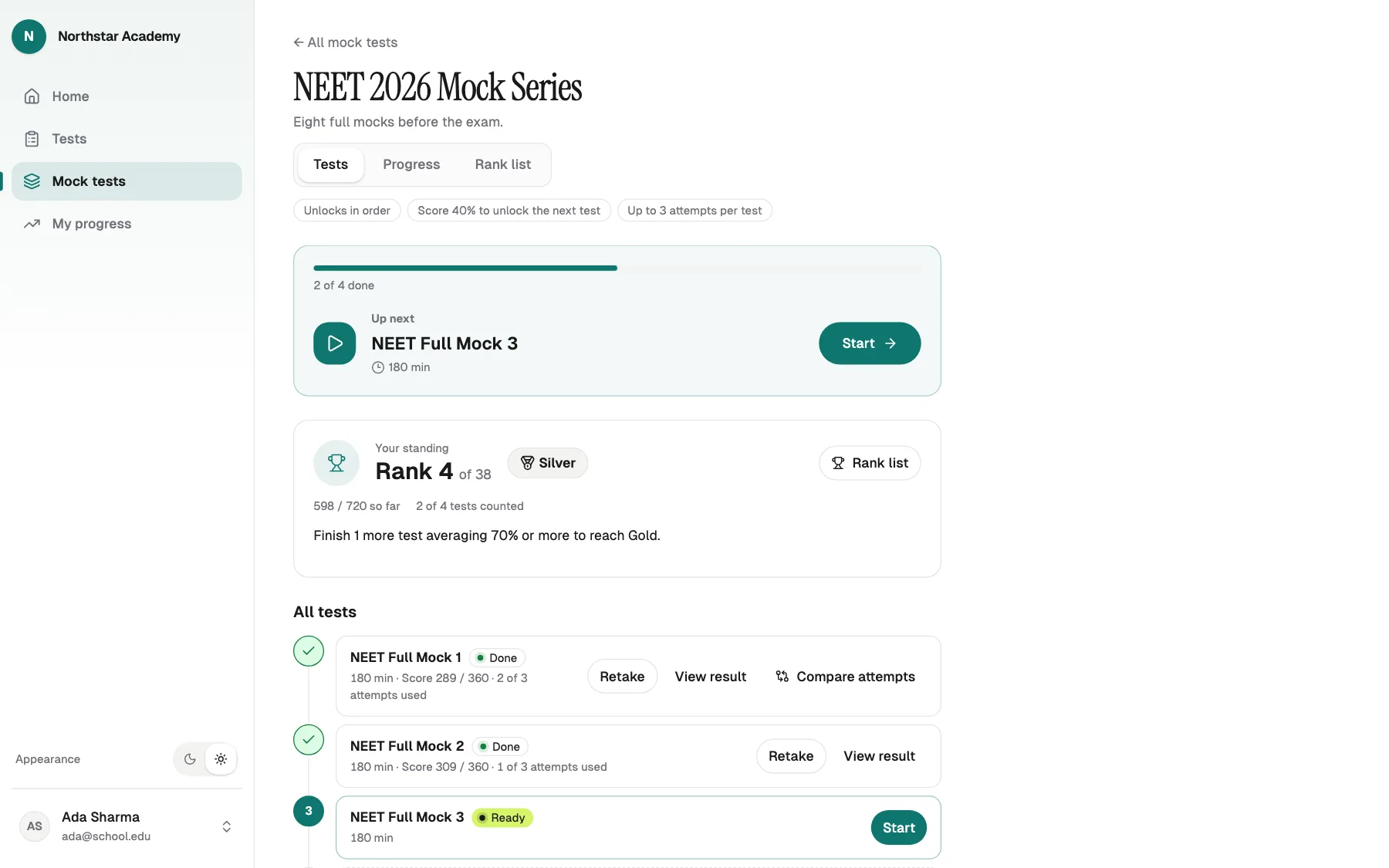
Students always know what's next
Always one next step
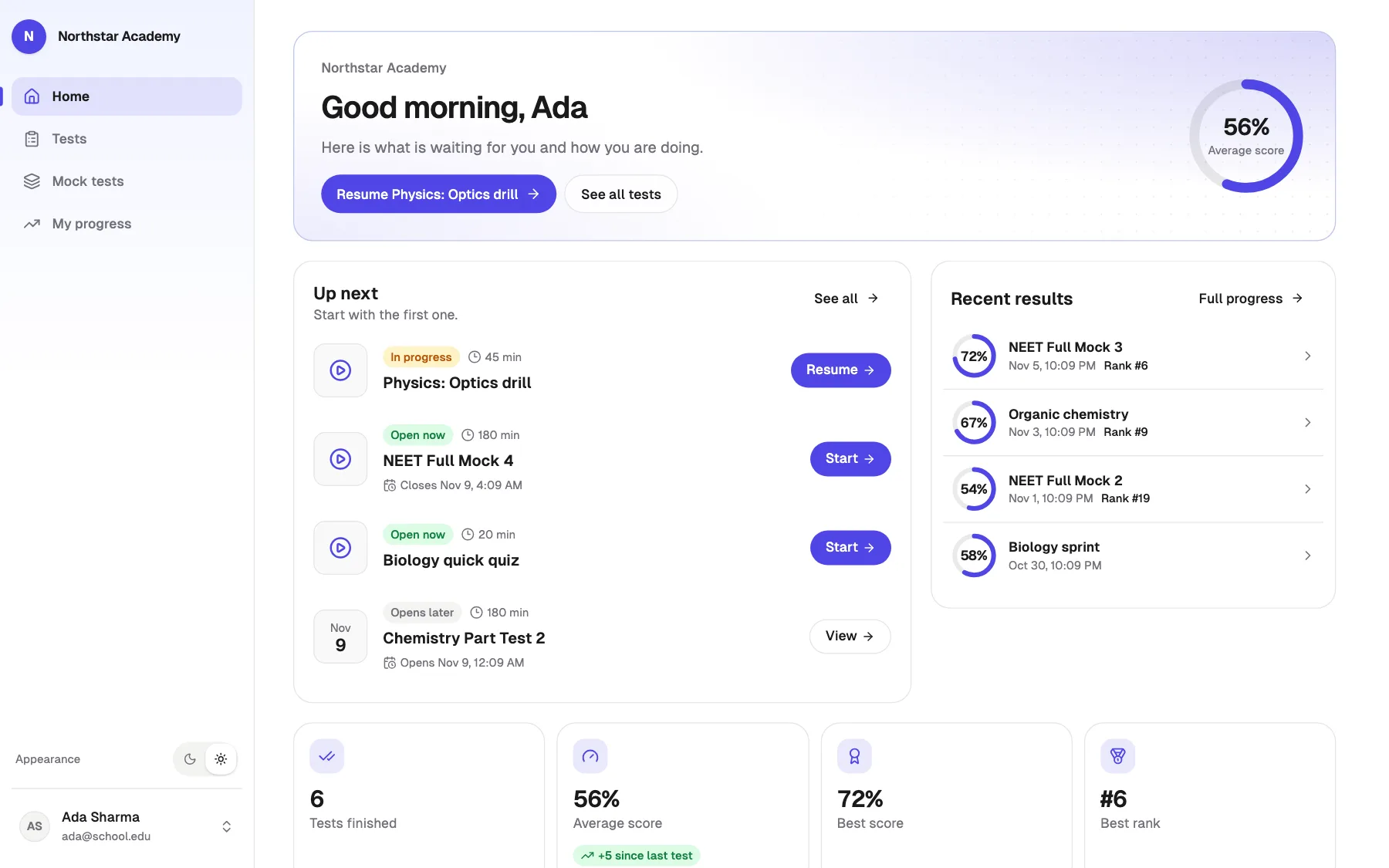
Up next shows the test to take, with one Start button.
Retake to improve
Compare tries side by side.
Rank and level
Every finished test moves them up.
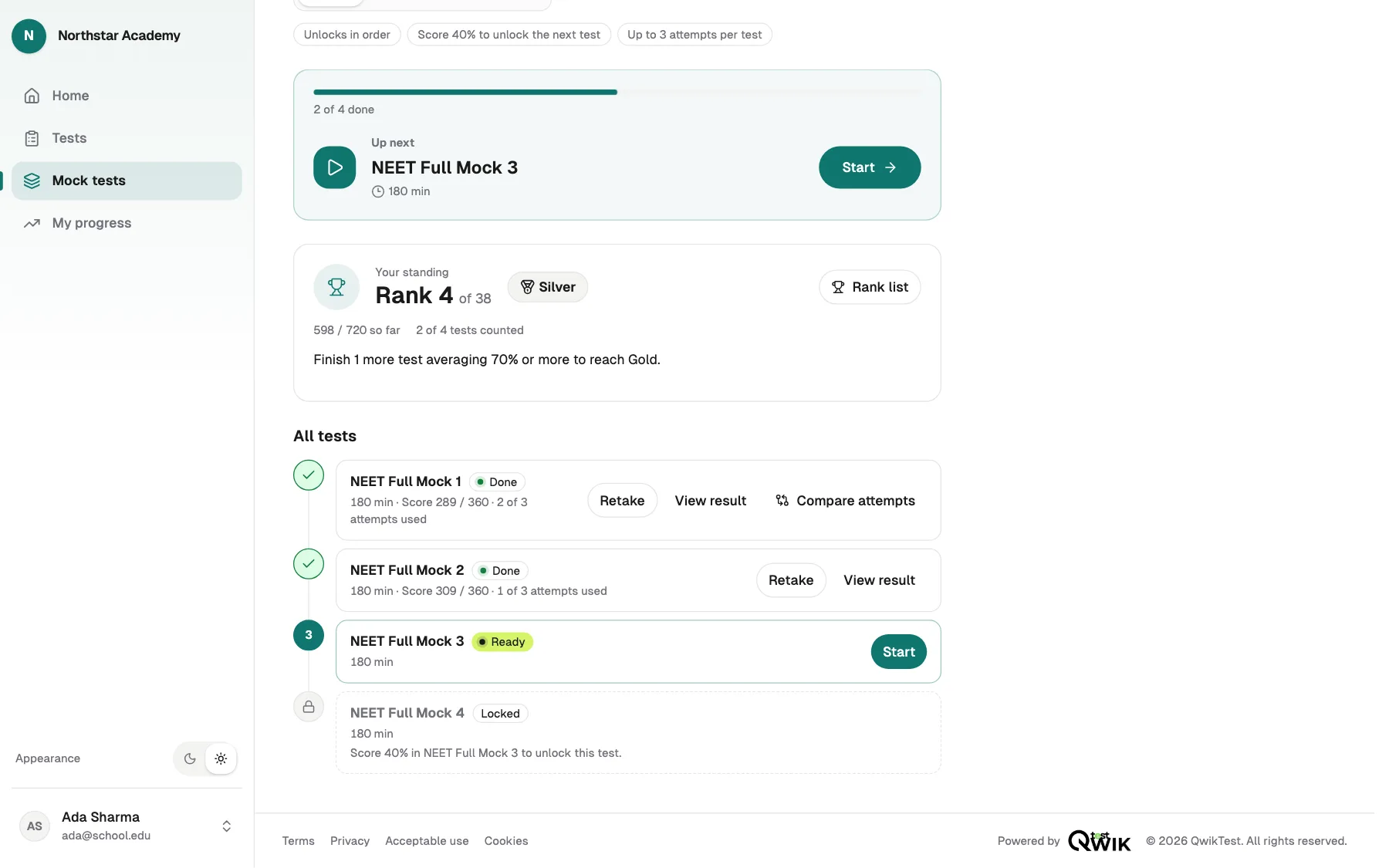
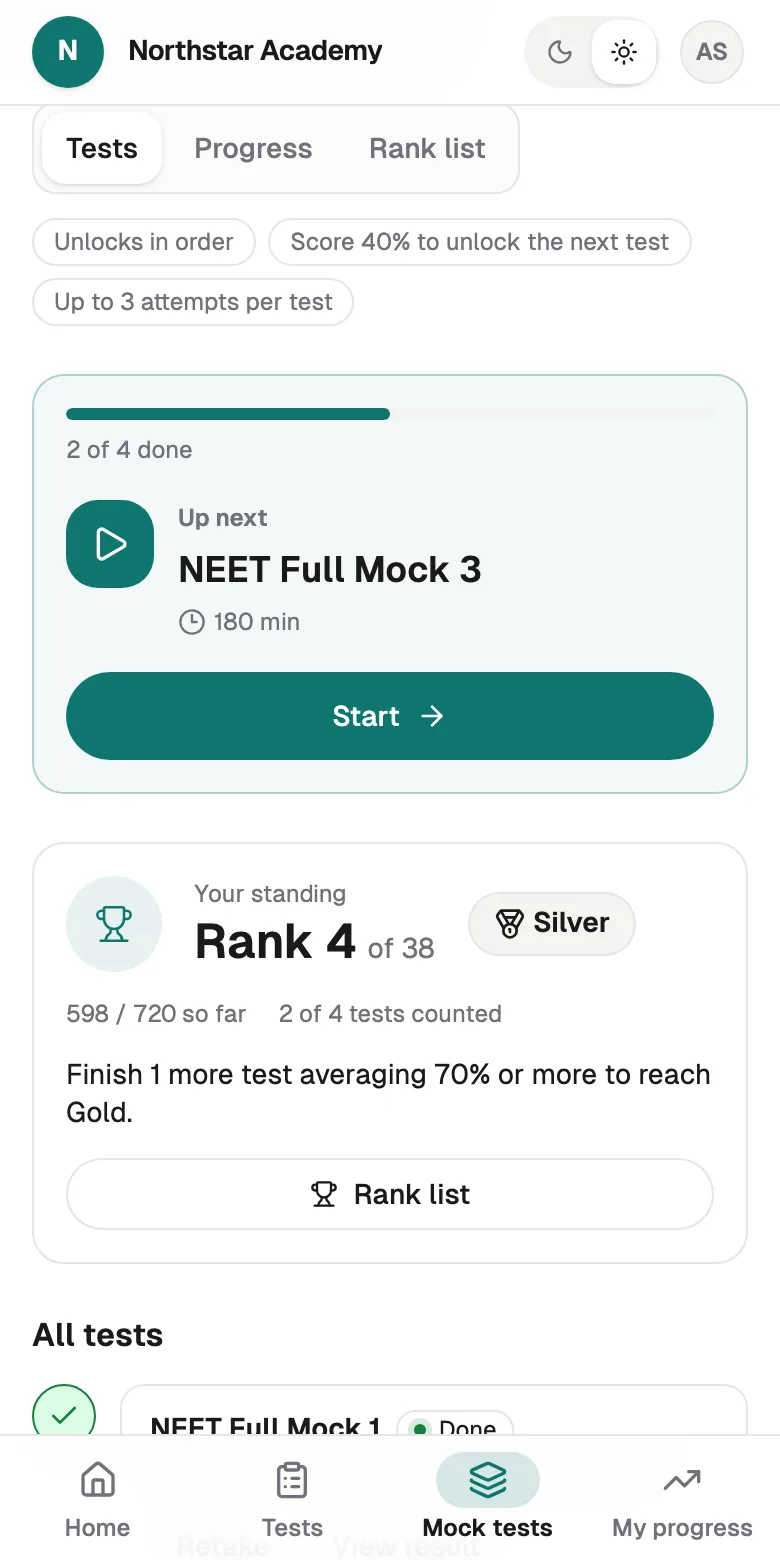
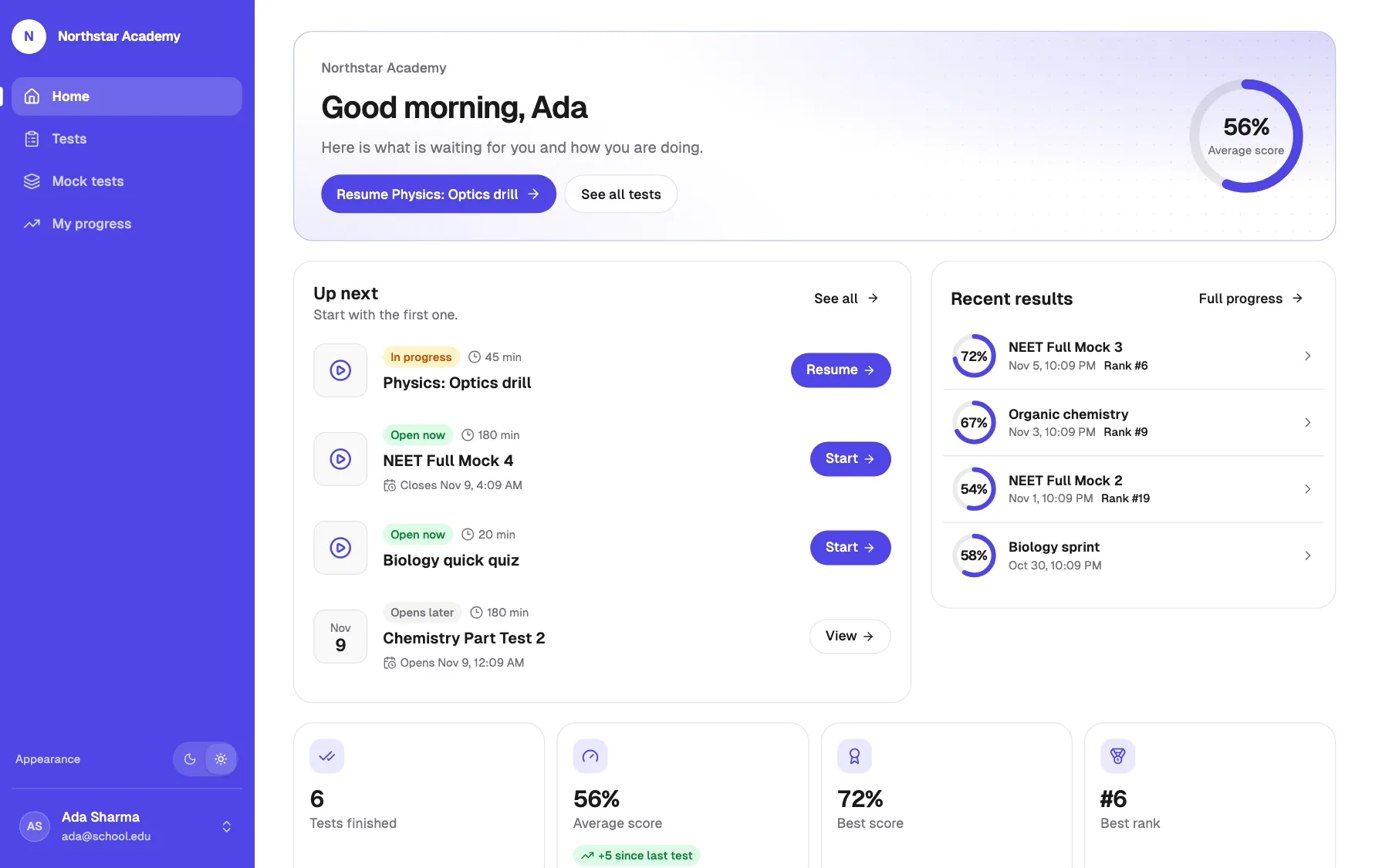
Every student gets a home
Up next
The test to take now, one tap to start or resume.
Their numbers
Tests finished, average, best score, best rank.
What to practise
Strong topics and the ones to work on next.
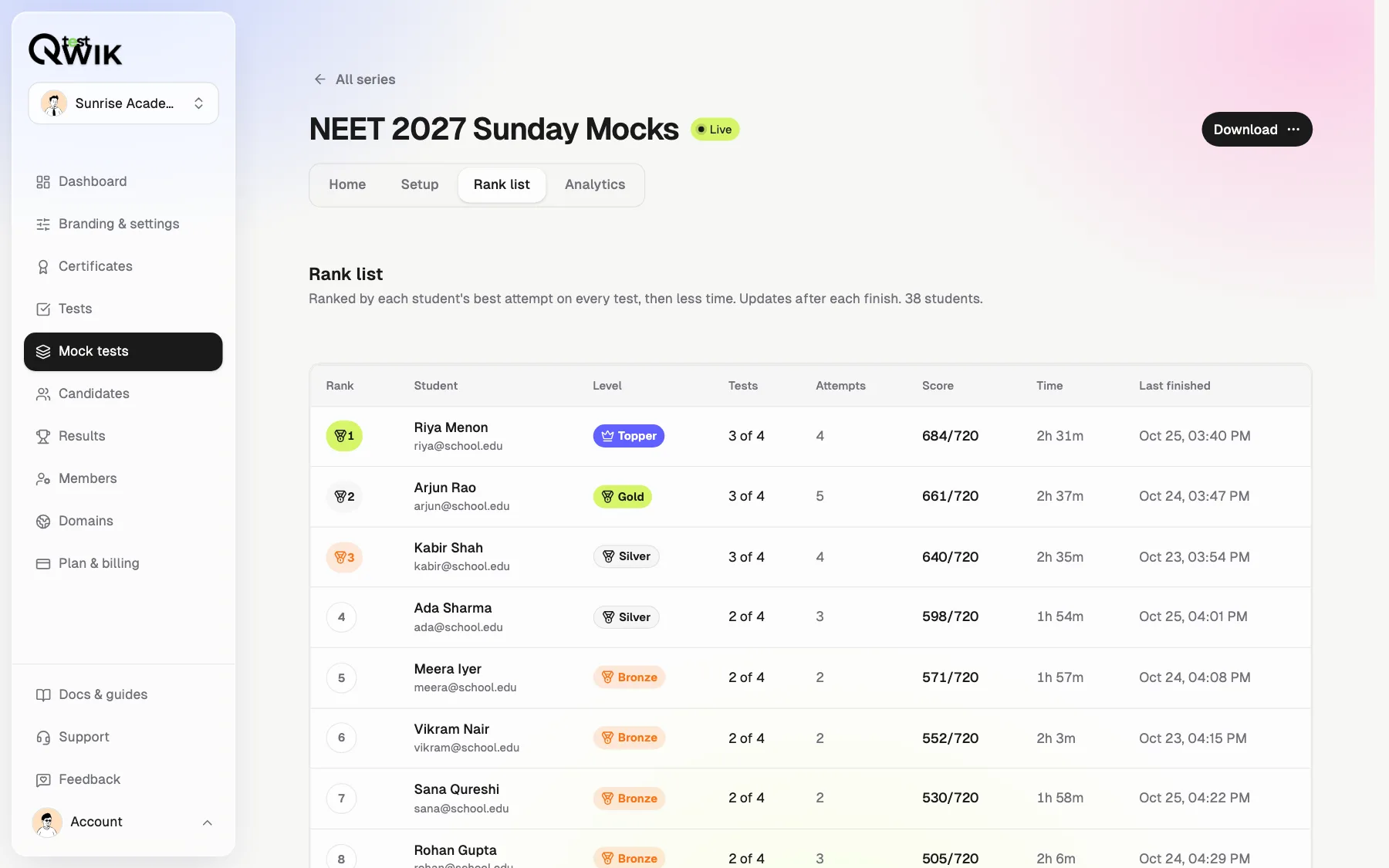
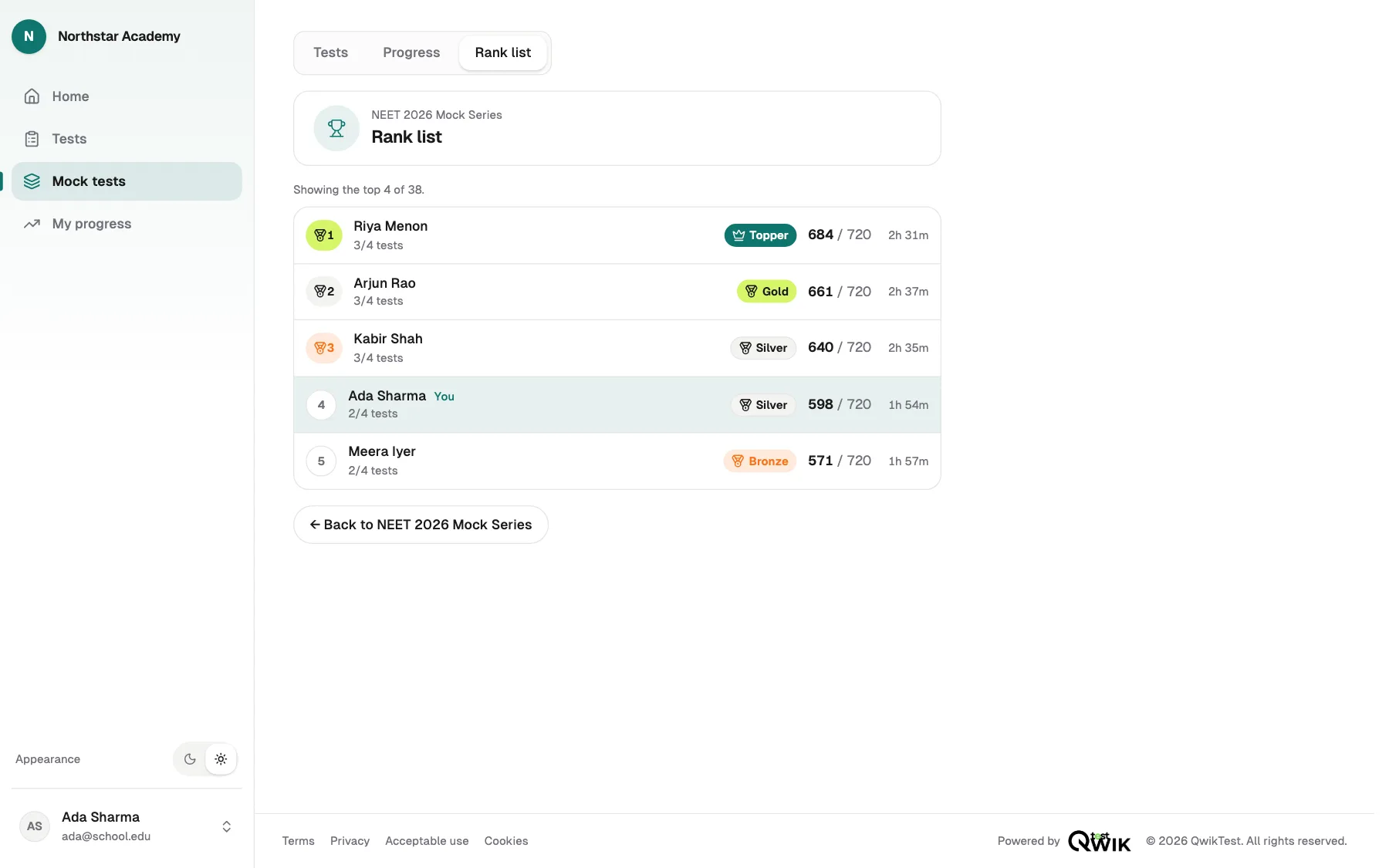
One rank list for the whole series
Totals every test, then less time. You see every student; they see the top and themselves.
Progress that says what to practise
Score trend, rank in each test, and topics from strong to weak.
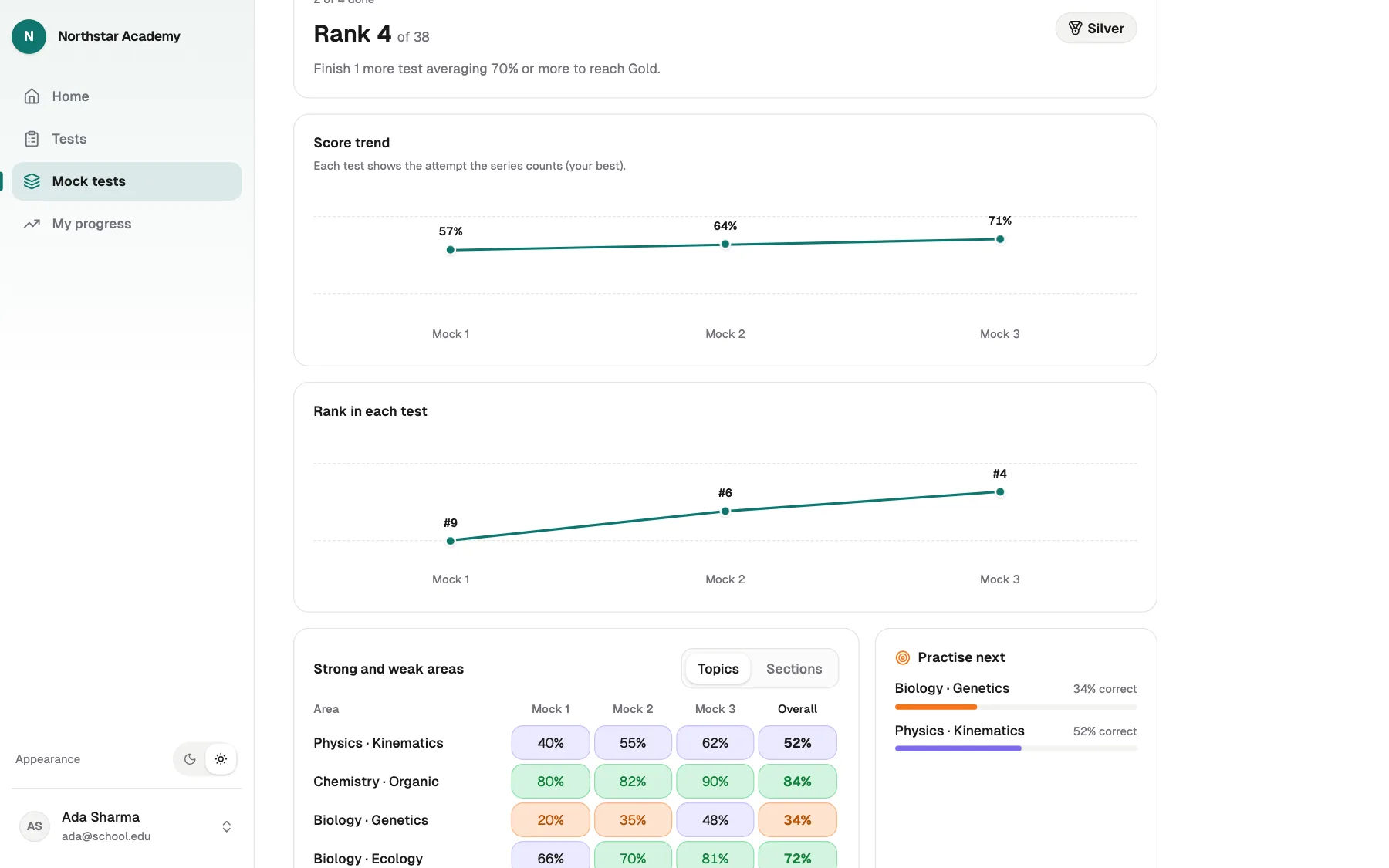
Detailed analysis for every student
Score trend, rank trend, every topic weakest first, and every result one tap away.
Analytics that say what to do next
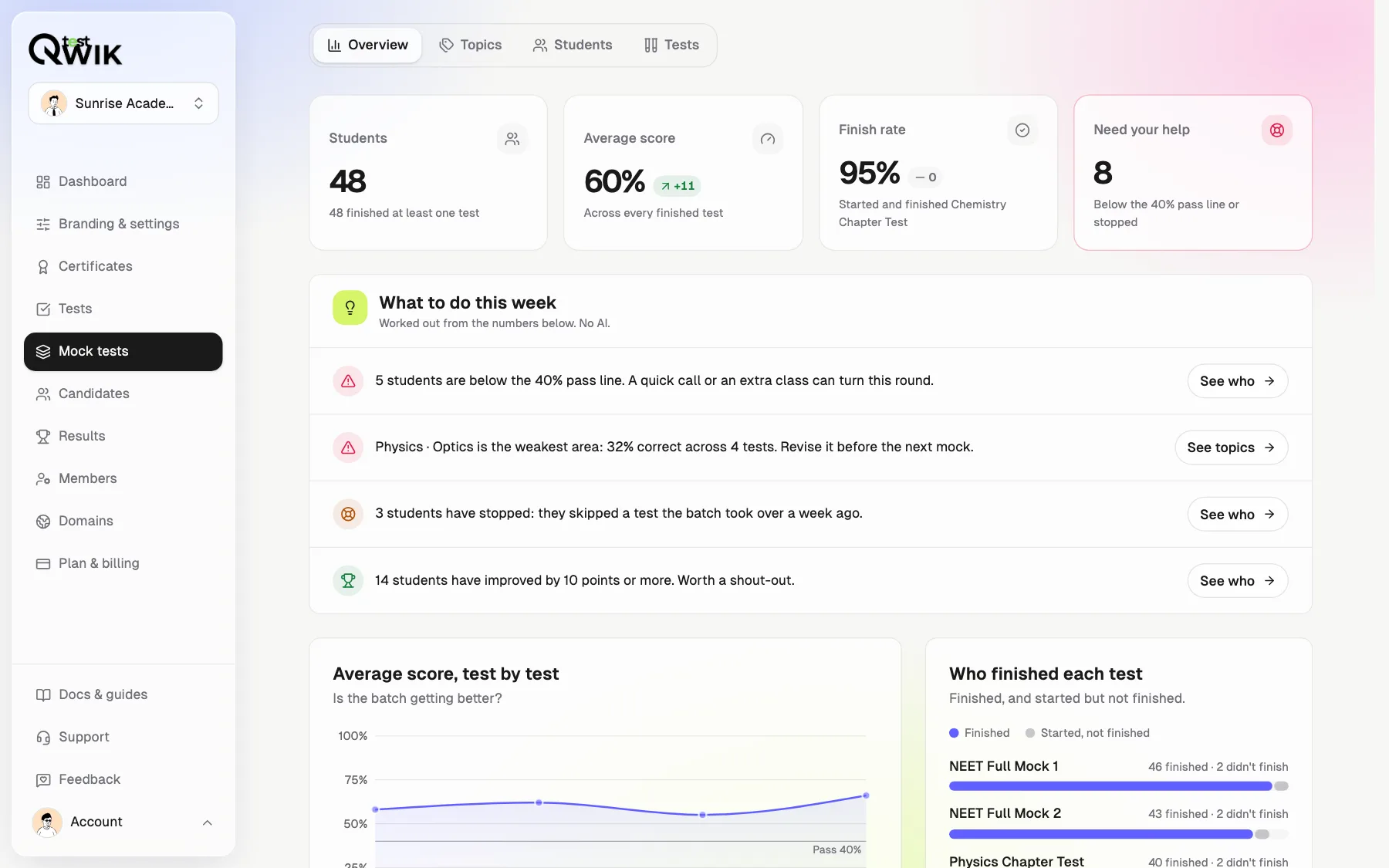
What to do this week
Plain sentences: who to call, what to reteach.
Topics, weakest first
Reteach, practise or strong, test by test.
Download it all
Excel by student and by topic.
Every student, at a glance
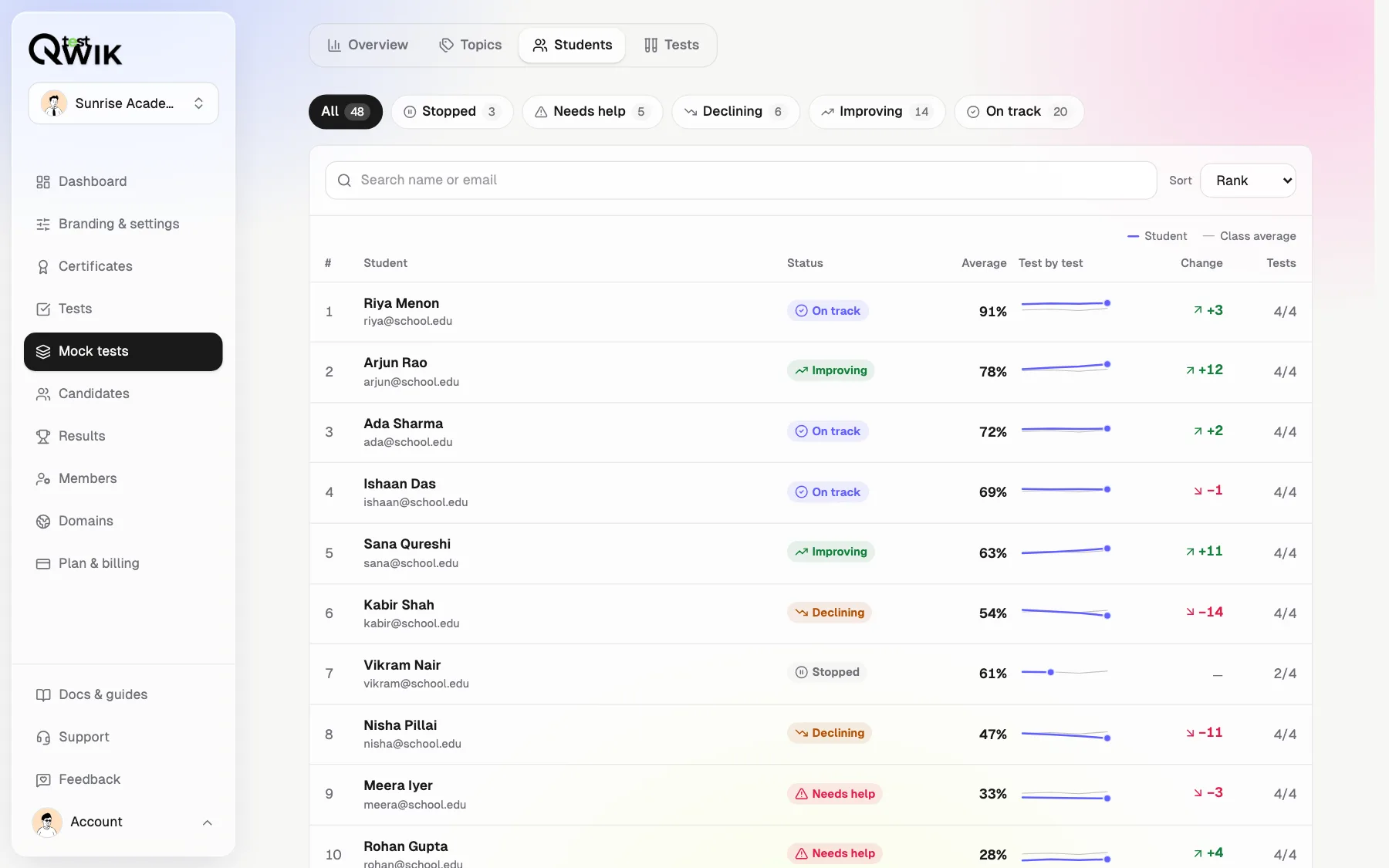
Needs help, stopped, declining, improving or on track, with their trend next to the class.
Your brand, in your style
Your logo and colour on every screen. Pick Classic, Soft, Bold or Midnight.
What each plan includes
- Free
- Build and try series. Going live needs a paid plan.
- Starter
- 2 live series at a time.
- Pro
- Unlimited live series, retakes and levels.
- Business
- Everything in Pro, plus student photo, school and city.
How to make a mock test series
Open Mock tests
In Qwiktest, tap Mock tests in the menu, then New series.
Add your tests
Tap the tests to add and drag them into order.
Choose the rules
Start from a template, or pick the order, tries per test and which try counts.
Turn it on
Switch the series live. Students see it under Mock tests.
Mock test series questions
How do I create an online mock test series?
In Qwiktest, open Mock tests and tap New series. Pick a template or set the rules yourself, add tests you already made, drag them into order, and switch it live. Students see it under Mock tests on your test site. A short guide explains every option the first time.
Can students be made to take the tests in order?
Yes. Choose One after another and each test unlocks when the one before it is finished. Add a pass mark, like 40%, and the next test opens only at that score. A locked test tells the student why.
Can students retake a mock test?
Yes, on Pro and above. Allow up to 10 tries a test. You pick whether the first or the best try counts for rank. Students can compare their tries side by side. On tests that show answers, they stay hidden until the last try, so a retake still means something.
How does the series rank list work?
It adds up each student's counted try on every test in the series, and breaks ties by less time. It updates after every finished test. You see every student with their email; students see the top of the list and their own rank.
What are levels?
Levels are Beginner, Bronze, Silver, Gold and Topper. A student moves up by finishing tests and scoring well, and the page says exactly what the next level needs. Levels are on Pro and above.
Can one test be in more than one series?
Yes. A series only points at tests, so a test can stand alone and sit in many series. When two live series hold the same test, the stricter rule wins, so one series never loosens another's lock or tries.
Can students skip the order by opening a test's own link?
No. A test's own link follows the order lock and the details form of every live series that holds it. It allows the tries the test itself allows; starting from the series gives the series' tries, and every try counts toward both.
Which plans include mock test series?
You can build series on every plan. Starter puts 2 series live at a time. Pro has unlimited live series with retakes and levels. Business adds student photo, school, class, target exam and city. Every try uses one student sitting.
What does a student see after signing in?
Their own home on your test site: the next test to take with one Start button, tests finished, average and best score, best rank, strong topics and what to practise next. My progress shows score and rank trends and every topic. It works with a sidebar on laptops and bottom tabs on phones.
Can I change how the student site looks?
Yes. In Branding & settings, add your logo and colour, pick a font and a template, and choose a style: Classic, Soft, Bold or Midnight. Students see it on every page, in light or dark mode. On a custom domain, they only see your name.
Can I use a mock test series for hiring, coding or SQL tests?
Yes. The Hiring rounds template makes a private series where rounds open in order, one try each, and only a score of 60% opens the next round; candidates get no series rank list. Coding drills and SQL labs work with Step by step: each lab opens when the one before is passed.
Can I make a private test series for one batch?
Yes. Make the series private and only the students you add can see it. Upload a sheet (CSV or Excel) or pick people from Candidates, and optionally email them the link. A public series is open to anyone signed in on your test site, and can also be shown there before sign-in.
How do I schedule a weekly mock test series?
Start from the Scheduled mocks template and give each test an Opens on date, like every Sunday at 10 am. Nobody can start a test before its date, not even from its own link. Add a Ranked until date to close the rank list for that test; later tries are still marked, as practice.
What does mock test series analytics show?
Four tabs. Overview: students, average score, finish rate and who needs help, each with the change since the last test, plus What to do this week in plain sentences. Topics: the weakest areas first, test by test. Students: each student's status and trend. Tests: which test was harder. Worked out by fixed rules, not AI.
How do I find students who need extra help?
Open Analytics, then Students. Each student gets a status: Needs help (below the pass mark), Stopped (skipped a test the batch took a week ago), Declining, Improving or On track. Filter by status, search, or split by batch, then open a student to see every test and topic.
Can I download every student's progress?
Yes. The Excel file has every student by test with their status, and every student by topic (correct out of answered), plus the rank list, each test and strengths. CSV is the rank list, and the PDF is a report you can print or share. Owners, admins and editors can download.
Is it good for NEET, JEE, UPSC and SSC test series?
Yes. Make each full mock as a Qwiktest test with sections, negative marking and timing, then group them into a series. Coaching institutes run weekly mocks with one all-batch rank list and per-topic progress for every student.